
Appearance
Incident Settings
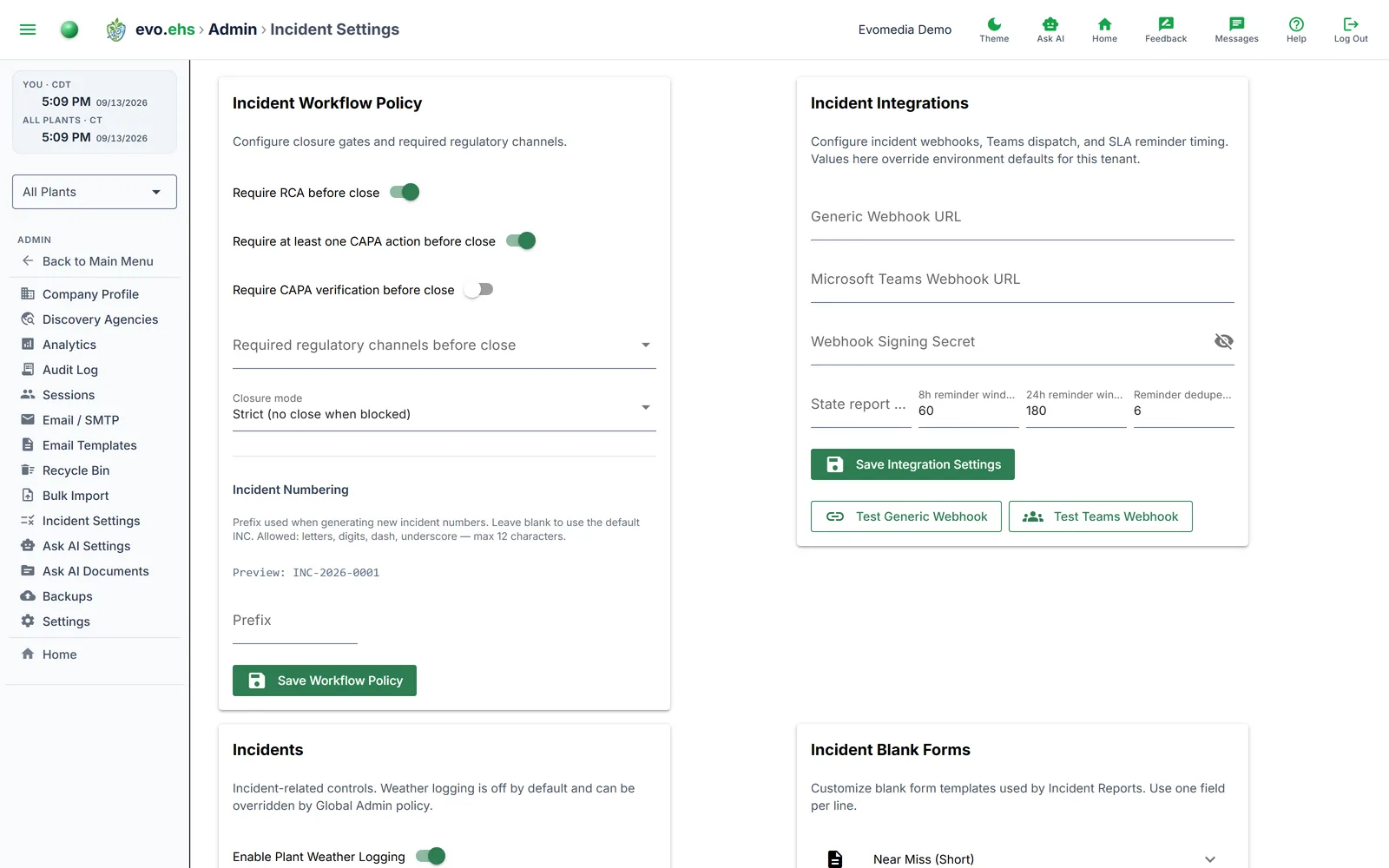 Configure incident workflow policies, integrations, and blank form templates.
Workflow Policy
Control what must happen before an incident can be closed:
- Require RCA before close — root cause analysis must be documented.
- Require at least one CAPA action — a corrective/preventive action must exist.
- Require CAPA verification — CAPA actions must be verified.
- Required regulatory channels — select which channels (OSHA Phone, OSHA ITA CSV, OSHA Email Package, OSHA Print PDF, NRC PDF, State Portal) must be completed.
- Closure mode — Strict (blocks close when requirements are unmet) or Advisory (allows close with a reason).
Incident Numbering
Set a custom prefix for incident numbers (default: INC). A live preview shows the format, e.g. "INC-2026-0001".
Integrations
Configure webhooks and notification timing:
- Generic Webhook URL — receives incident event payloads.
- Microsoft Teams Webhook URL — posts incident cards to a Teams channel.
- Webhook Signing Secret — HMAC secret for verifying webhook payloads.
- 8h / 24h reminder windows — how many minutes before the OSHA reporting deadline to send reminders.
- Reminder dedupe — minimum hours between duplicate reminders.
- State report window (hours) — how long after an incident is flagged as a state report candidate the report is due. State rules vary; 24 hours is the default. The window drives the header countdown, the Past Due badge, the calendar and the Compliance Score. The NRC window is the regulation's 15 minutes and is not configurable.
Use Test Generic Webhook or Test Teams Webhook to verify connectivity.
Weather / Temperature
- Enable Plant Weather Logging — turns on weather data collection for incident context.
- Display temperatures in Fahrenheit — toggle between F and C display.
Blank Forms
Customize the blank form templates used by Incident Reports. Four form types are available:
- Near Miss (Short)
- General Incident
- Environmental / NRC
- 301-aligned Worksheet
For each form, set the menu label, title, subtitle, and field list (one field per line). Click Reset to Defaults to restore the built-in templates.
These are forms, not incident categories — they describe what gets printed, and they are chosen for you from the incident's category. An incident classified as a near miss prints on the Near Miss (Short) form, a recordable injury on the 301-aligned Worksheet, an environmental release on Environmental / NRC, and property damage or a first-aid injury on the General Incident form. Any single incident can be pointed at a different form from its Blank form field in Incident Manager; leave that on Category default and it follows the classification.