
Appearance
Role Management
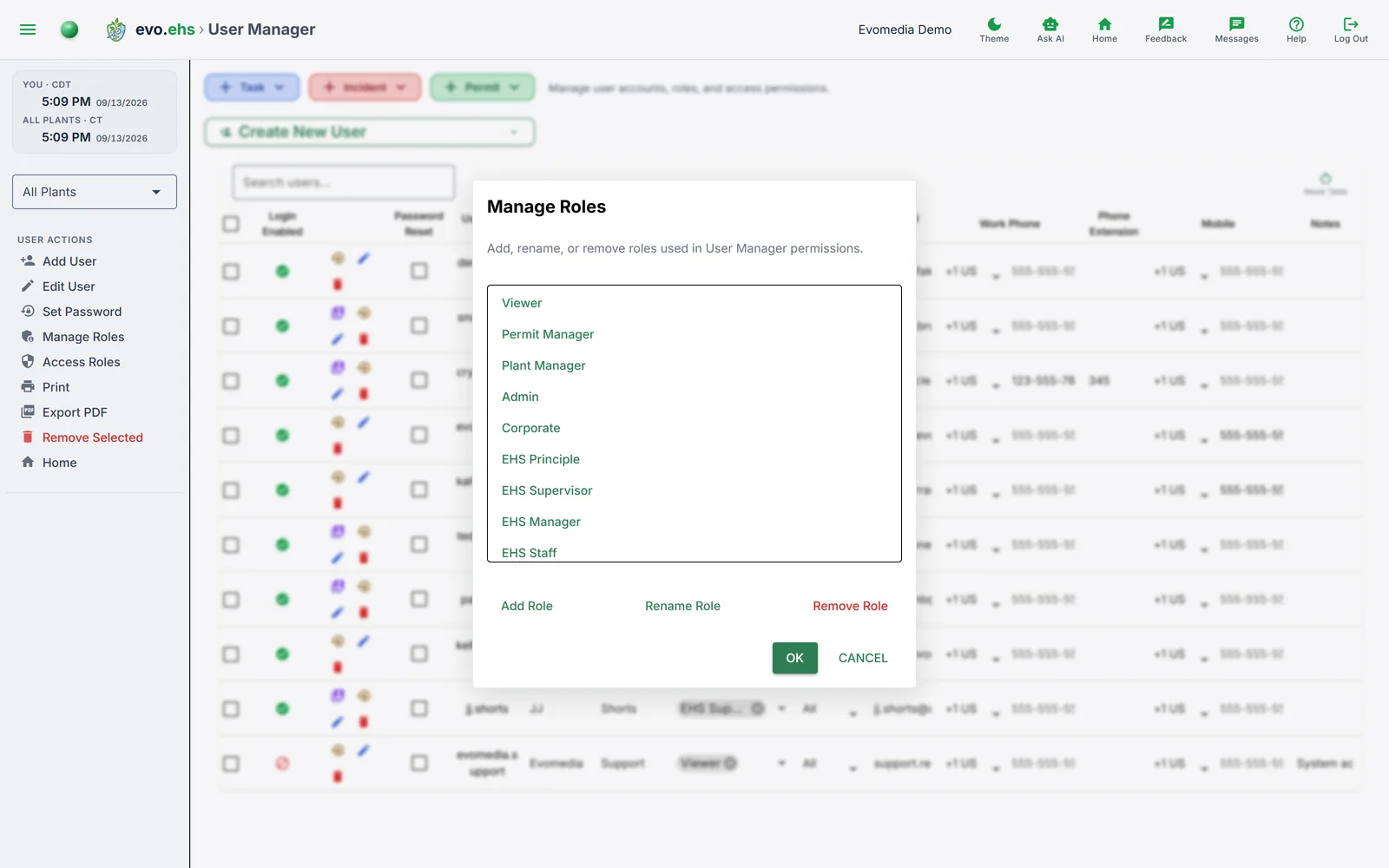 Roles and access permissions are managed from User Manager rather than a separate admin page.
Managing Roles
Open Manage Roles from the User Manager sidebar to add, rename, or remove roles. Default roles include Admin, Corporate, Plant Manager, EHS Supervisor, EHS Manager, EHS Staff, and Viewer (read-only).
Removing a role
Users with a removed role will lose it. This cannot be undone.
Access Roles Matrix
Open Access Roles from the User Manager sidebar to control which roles can access each section. The matrix shows sections as rows and roles as columns:
| Section | Description |
|---|---|
| Admin | Admin panel access |
| Reports | Permit reports |
| Task Reports | Task report views |
| Task Manager | Create/edit tasks |
| User Manager | Manage user accounts |
| Assume User | Sign in as another user |
| Plant Manager | Manage facilities |
| Permit Manager | Create/edit permits |
| Permit Discovery | EPA/state discovery tools |
| Event Manager | Team schedule calendar |
| Action Manager | Automated notifications |
| Incident Reports | Incident reporting |
| Quick Create | Dashboard quick-create buttons |
| Settings | Personal settings |
Check or uncheck cells to grant or revoke access, then click Save.