
Appearance
Environmental Dashboard
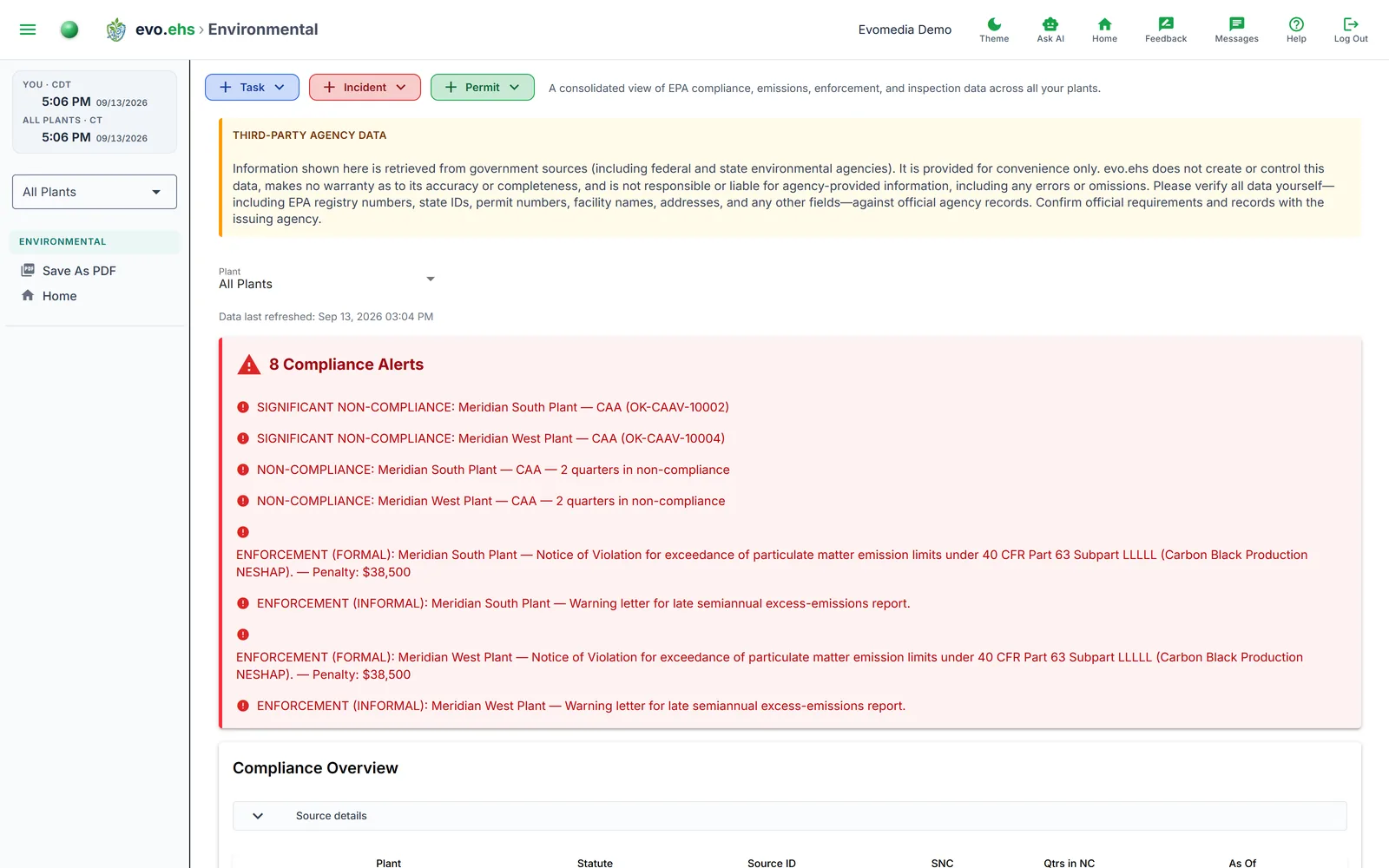 A consolidated view of EPA compliance, emissions, enforcement, and inspection data across all your plants. Data is pulled during Permit Discovery and displayed here for ongoing monitoring.
Compliance Alerts
A red card highlights any active compliance issues:
- Significant Non-Compliance (SNC) — a program is flagged by EPA.
- Non-Compliance — quarters in non-compliance for a program.
- Enforcement actions — formal or informal enforcement with penalty amounts.
When everything is clear, a green "All Clear" card appears instead.
Compliance Overview
A table showing each plant's programs with their statute, source ID, SNC status (red YES / green No), quarters in non-compliance, and as-of date.
TRI Emissions Trend
A stacked bar chart of Air Emissions and Water Discharges by year, with a Total line overlay showing year-over-year percentage change. The supporting table breaks out on-site releases, off-site releases, and totals.
TRI Chemical Reports
All chemicals ever reported under TRI, displayed as badges. A stacked bar chart shows chemical-level submissions per year. Expand to see per-year detail tables with chemical name, certifier, title, and date signed.
TRI Per-Chemical Release Quantities
A stacked bar chart showing release quantities by chemical over time, with a data zoom slider for large date ranges.
Greenhouse Gas Reporting
GHGRP data by plant and year, showing subparts, parent company, and industry types.
Enforcement Actions
A table of formal and informal enforcement actions with type, statute, description, date, and penalty amount.
Inspection History
A table of inspections by statute, activity, lead agency, date, and finding.
TRI Facility Contacts
Contact cards showing public and technical contacts for each TRI facility, including name, email, phone, and address.
Plant Compliance Status
When viewing all plants, summary cards show each plant's overall status — SNC, Issues, Compliant, or No Data — with color-coded indicators.
Exporting
Use Save As PDF from the sidebar to download the full dashboard.