
Appearance
Incidence Rates
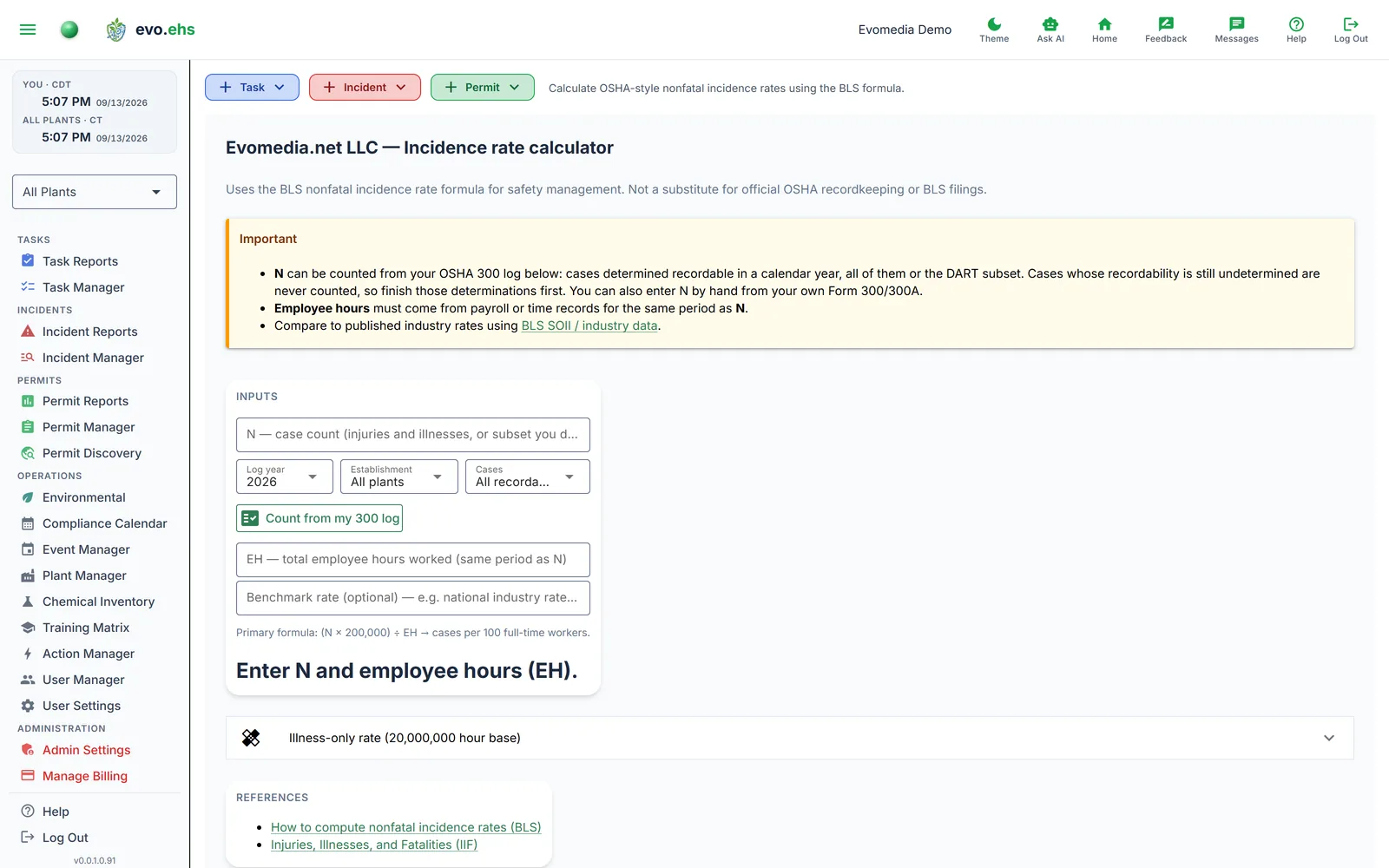 Calculate OSHA-style nonfatal incidence rates using the BLS formula.
Primary Calculator
Two values go in:
- N — case count. Count it from your OSHA 300 log (below), or type it from your own Form 300/300A.
- EH — total employee hours worked in the same period.
The formula (N × 200,000) / EH gives cases per 100 full-time workers. The result updates live as you type.
Optionally enter a Benchmark rate (e.g. the national industry average from BLS) to see how your rate compares.
Count N from your 300 log
Under the N field, pick the log year, the establishment (all plants, or one; it starts on your plant filter) and which cases to count: all recordable cases, or the DART subset (days away, restricted duty or job transfer). Count from my 300 log fills N with the number of cases determined recordable in that year, the same cases the OSHA 300 log lists, and the line beneath says what was counted.
Cases whose recordability has not been determined are never counted. If any exist, the line says how many, so an unfinished log shows as unfinished rather than as a lower rate. Finish those determinations in Incident Manager and count again.
Data sources matter
N counts only cases determined recordable in evo.ehs; a case never recorded here is not in it. Employee hours must come from payroll or time records for the same period.
Illness-Only Rate
Expand the illness-only section to calculate rates using the 20,000,000 hour exposure base (per 10,000 full-time equivalent workers).
NAICS Context
If your plants have NAICS codes configured, they're displayed here for reference when looking up BLS benchmark data.