
Appearance
Permit Discovery
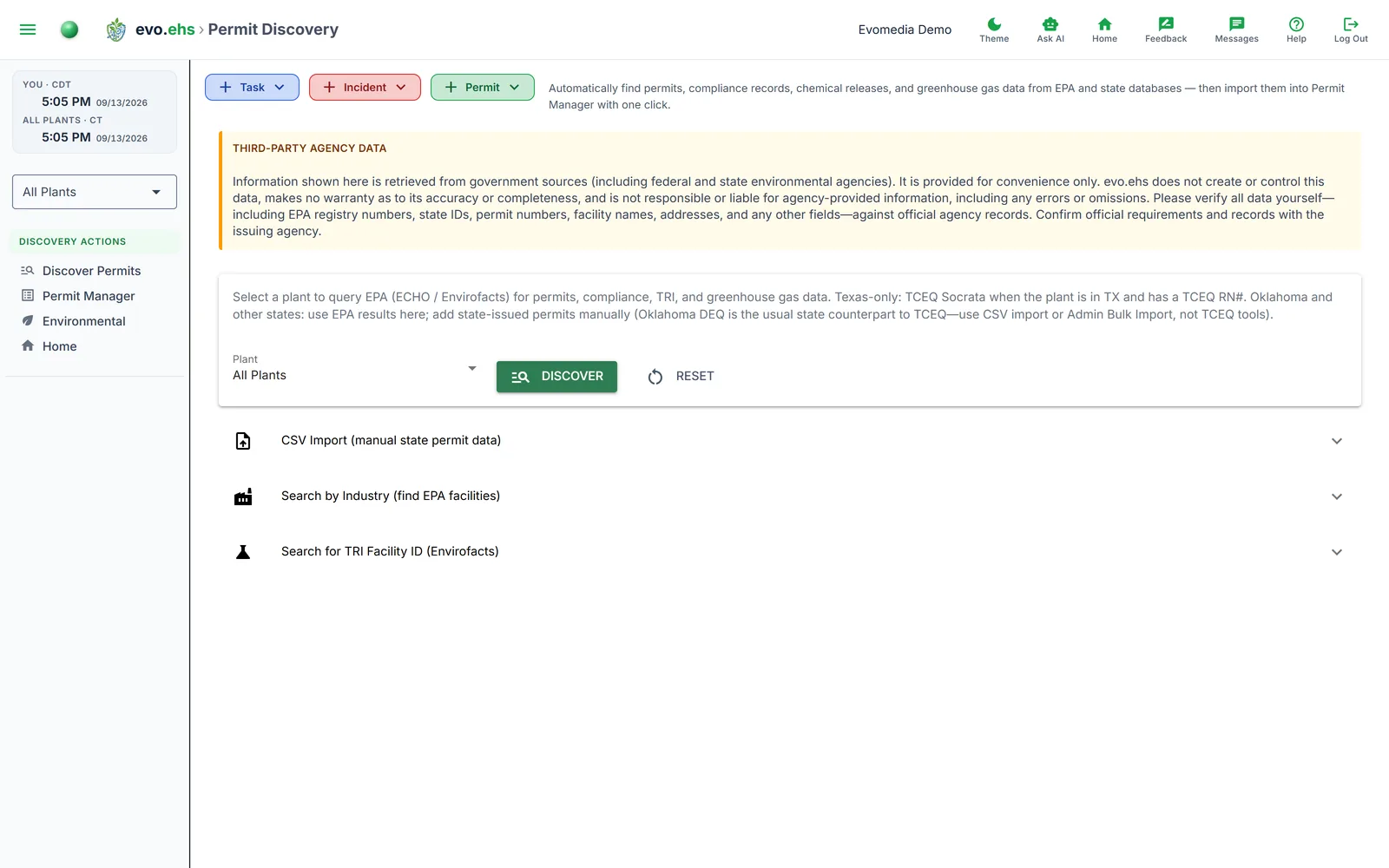 Automatically find permits, compliance records, chemical releases, and greenhouse gas data from EPA and state databases — then import them into Permit Manager with one click.
Getting Started
Select a plant from the Plant dropdown (or choose All Plants to query every plant in sequence), then click Discover. The system queries enabled agencies — EPA ECHO, Envirofacts, and any configured state sources like TCEQ — and displays the results grouped by data source. Click Reset to clear cached results.
Prerequisites
Each plant needs an EPA Registry ID to return EPA results. Texas plants also need a TCEQ RN# for state-level discovery. Both can be set in Plant Manager, or discovered using the lookup tools on this page.
No agencies configured?
If no discovery agencies are enabled, a warning banner links to Admin > Discovery Agencies where you can configure them.
Discovery Results
Results are cached per-user and restored when you revisit the page. Each plant's results show a timestamp of when the query ran.
EPA Permits / Programs
Lists every permit and program registration found in EPA ECHO — Clean Air Act, Clean Water Act, RCRA, SDWA, EPCRA Section 313 (TRI), TSCA, and Facility Registry records. Each row shows the statute, source agency, source ID, status, expiration date, universe, and areas.
- Import All — imports every permit not already in Permit Manager.
- Import (per-row) — imports a single permit.
- Re-import (admin only) — for already-imported permits, choose Update Existing to refresh with latest EPA data or Create Duplicate to add a second copy.
EPA Compliance Summary
Shows each program's compliance status. The SNC (Significant Non-Compliance) column is color-coded — red for YES, green for No. The header turns red if any program has an active SNC flag.
EPA TRI Release History
A stacked bar chart of Air Emissions and Water Discharges over time, with a Total line overlay showing year-over-year percentage change. The table below breaks out on-site releases, off-site releases, and totals for each year.
EPA TRI Chemical Reports
Lists every chemical ever reported under TRI, with a stacked bar chart by chemical per year. Expandable year panels show each submission's chemical name, certifier, title, and date signed.
EPA Greenhouse Gas Reporting
Shows GHGRP data by year, including subparts, parent company, and industry types.
TCEQ State Permits (Texas only)
Lists state permits from TCEQ with program, permit/registration ID, status, and program code. Status badges are color-coded — green for Active, orange for Pending, red for Cancelled. Import Active imports all active permits not already in Permit Manager.
TCEQ Compliance History (Texas only)
Shows the facility's TCEQ compliance classification and rating. A green badge means Satisfactory; red means Unsatisfactory. Displays the entity name, company, county, region, NAICS code, and associated permit IDs.
TCEQ Waste Registration (Texas only)
Shows Notice of Registration (NOR) status, generator type, registration date, and location.
TCEQ RN# Auto-Lookup
When a Texas plant has an EPA Registry ID but no TCEQ RN#, the system automatically looks it up during discovery. If found, the RN# is saved to the plant and a green banner confirms it. If not found, a yellow banner suggests entering it manually in Plant Manager.
State Agency Banners
If a plant's state has a configured discovery agency that is currently disabled, a yellow banner names the agency and links to Admin > Discovery Agencies to enable it.
Import from All Sources
When multiple sources return importable permits (e.g. both EPA and TCEQ), an Import Permits from All Sources button appears to import everything at once.
CSV Import
Expand the CSV Import section to upload state-issued permits from a CSV file. The CSV must contain a permit_id column (or permit_number or id). Optional columns: program, status, description, statute. Select a target plant, upload the file, preview the data, and click Import.
Search by Industry
Expand Search by Industry to find EPA facilities matching your company's configured industries (set in Company Profile). Filter by state, then link a result to a plant to set its EPA Registry ID and TRI Facility ID. This is useful for onboarding new plants that don't yet have EPA identifiers.
A Search by Name option queries EPA ECHO by company name instead of SIC codes.
TRI Facility ID Lookup
Expand Search for TRI Facility ID to query EPA Envirofacts by facility name, city, state, or ZIP. Select a matching result and link it to a plant. A TRI Facility ID is required to pull detailed chemical release reports.
Minnesota MPCA
When the MN-MPCA-GIS agency is enabled, a dedicated section searches MPCA's "What's in My Neighborhood" database by facility name and/or city. Results include sites with program activities and cleanup/remediation records.