
Appearance
Task Reports
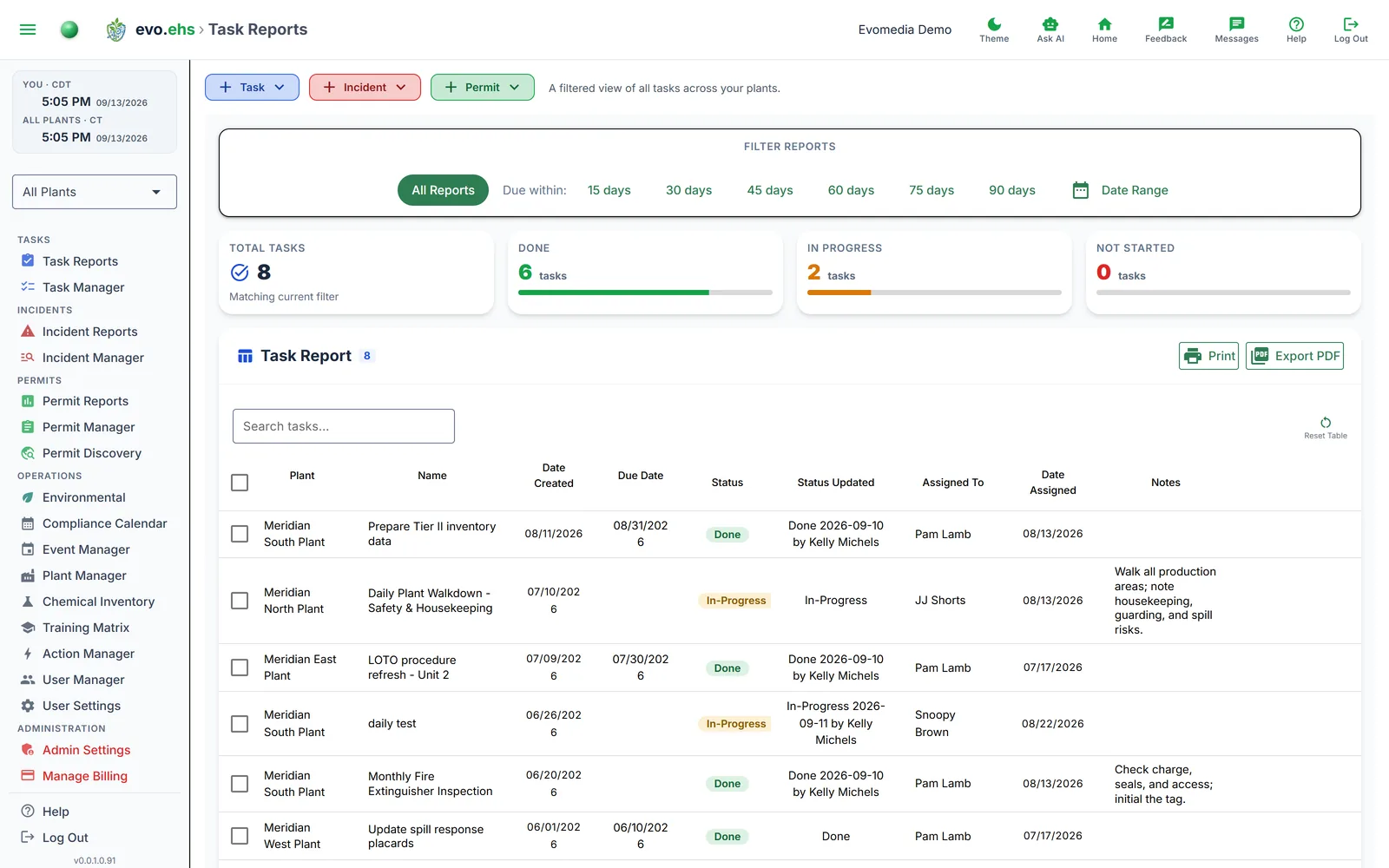 A filtered view of all tasks across your plants.
Filtering
- All Reports — shows every task.
- Due within — filter by tasks due in the next 15, 30, 45, 60, 75, or 90 days.
- Date Range — pick a custom start and end date.
Summary Cards
Four cards show totals for the current filter: Total Tasks, Done, In Progress, and Not Started, each with a progress bar.
Task Table
| Column | Description |
|---|---|
| Plant | Facility the task belongs to |
| Name | Task name |
| Date Created | When the task was added |
| Due Date | Task deadline |
| Status | Done (green), In-Progress (amber), or Not Started (slate grey) |
| Assigned To | Person responsible |
| Date Assigned | When assigned |
| Notes | Free-text notes |
Use the search box to filter by keyword. Column widths are resizable and saved between sessions.
Exporting
- Print — opens a print-friendly view.
- Export PDF — downloads a landscape PDF with the current filter and selection applied.