
Appearance
Permit Reports
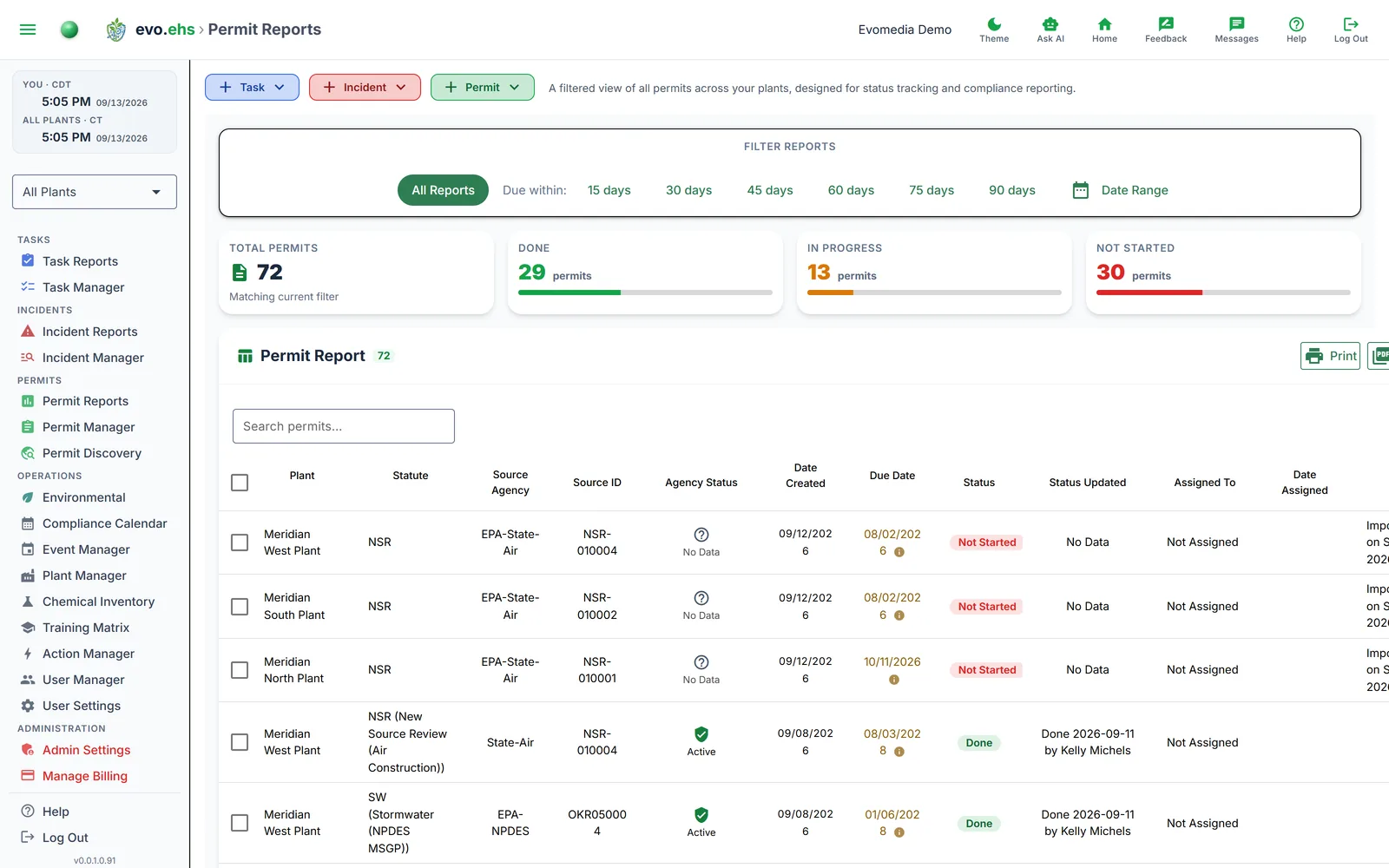 A filtered view of all permits across your plants, designed for status tracking and compliance reporting.
Filtering
- All Reports — shows every permit.
- Due within — filter by permits due in the next 15, 30, 45, 60, 75, or 90 days.
- Date Range — pick a custom start and end date, then click Apply.
Summary Cards
Four cards show totals for the current filter: Total Permits, Done, In Progress, and Not Started, each with a progress bar.
Report Table
| Column | Description |
|---|---|
| Plant | The facility this permit belongs to |
| Statute | Legal framework (CAA, CWA, RCRA, etc.) |
| Source Agency | Issuing agency |
| Source ID | Agency-assigned identifier |
| Agency Status | Current status at the agency |
| Date Created | When the permit was added |
| Due Date | Compliance deadline |
| Status | Done (green), In-Progress (amber), or Not Started (slate grey) |
| Assigned To | Person responsible |
| Date Assigned | When assigned |
| Notes | Free-text notes |
Use the search box to filter by keyword. Column widths are resizable and saved between sessions.
Due Date tooltips
Hover over a due date to see whether it was set by EPA or manually. If EPA set an initial expiration, you'll be prompted to confirm or update it for your internal tracking.
Exporting
- Print — opens a print-friendly view.
- Export PDF — downloads a landscape PDF with the current filter and selection applied.